Email Validation
Note: Email Validation is a part of Default's premium enrichment services. Reach out to us in Slack or on Sales for more information.
Email Validation
As customers start to scale their business, they find that the number of fake email submissions begins to increase exponentially. The Email Validation node will verify that an email address is valid and deliverable.
Please note that due to rate limits, we may retry requests. A request should take about 4 seconds at most.
Sample Output
Below are sample outputs for valid and invalid emails. Please note that the emailData key is only present when the return status is valid.
Sample Valid Email Output
{
    "status": "valid",
    "emailData": {
        "email": "someone@default.com",
        "certainty": "ultra_sure",
        "mxRecords": ["google.com"],
        "mxProvider": "google"
    }
}
Sample Invalid Email Output
{
    "status": "invalid"
}
Sample Failure Output
Should there be a failure with the request. a failure will be logged in your workflow log, and the return payload will be the following:
{
    "status": "failed",
    "error": "Invalid response structure"
}
How to use
There are two ways to use Email Validation:
Following form submission
Post meeting booked
Following Form Submission
Following form submission is generally a good choice if you want to keep the lead from being able to book a meeting with a rep on a calendar. You can create logic using an If / Else node that would invalidate the submission and/or do one or more of the following:
Redirect them to a thank you page
Send a Slack message to your org
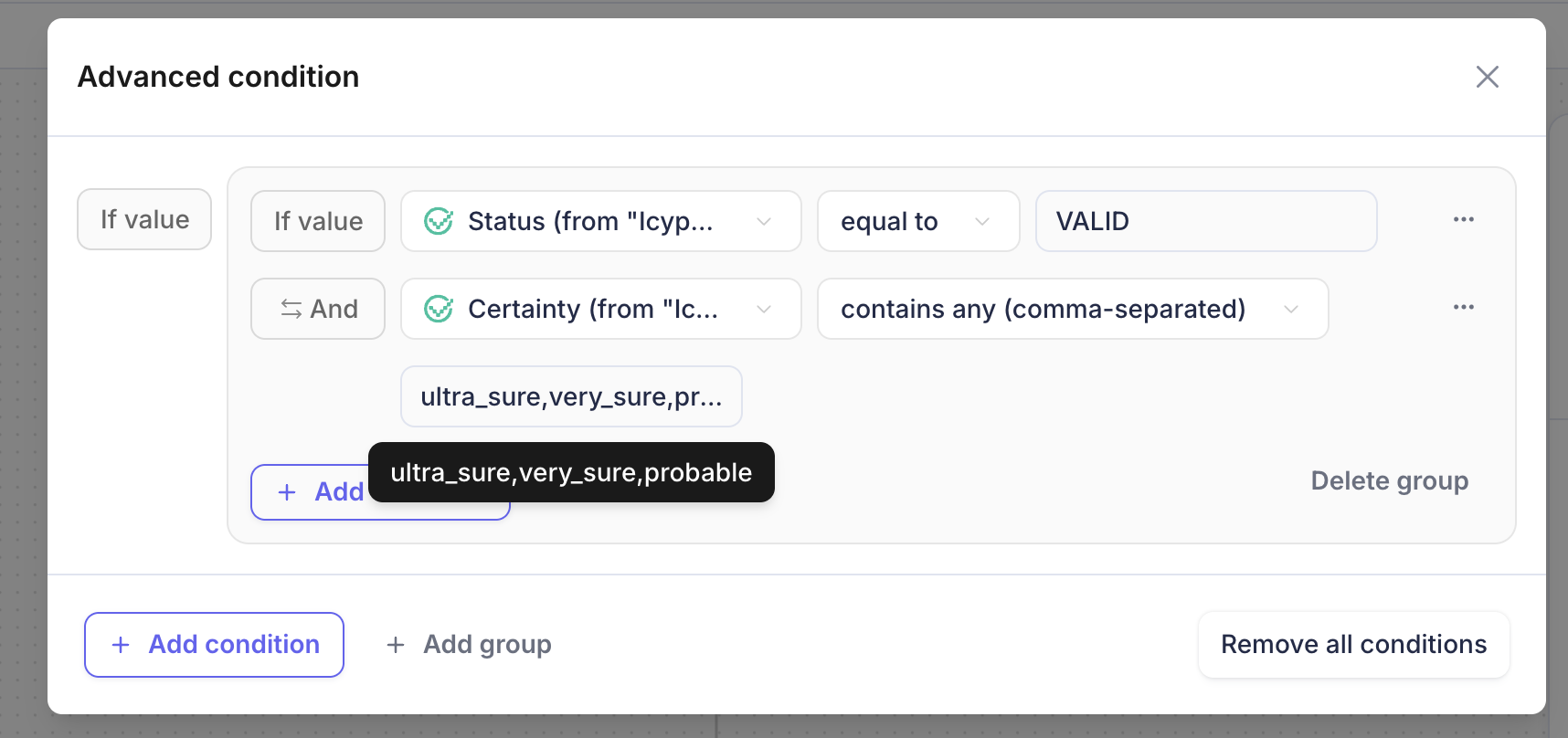
In order to do this, you would check on one or all of the following: (Note that certainty is only available when the email address has been validated)
status=validcertainty=ultra_sure,very_sure, orprobable
One potential objection could be the time it can take, which depends on whether or not there is an increase in traffic at the validation gateway. This process can take up to four seconds to complete email verification.
Post Meeting Booked
Another option is to add this node post meeting booked branch on your display scheduler. With this option, you would add the Email Validation node to your meeting booked branch, and then check the output in a follow-up If / Else node similar to above. You can then send the status AND/OR certainty to a Slack node to create an alert for the rep to check the meeting and cancel if necessary.
Example If / Else node application