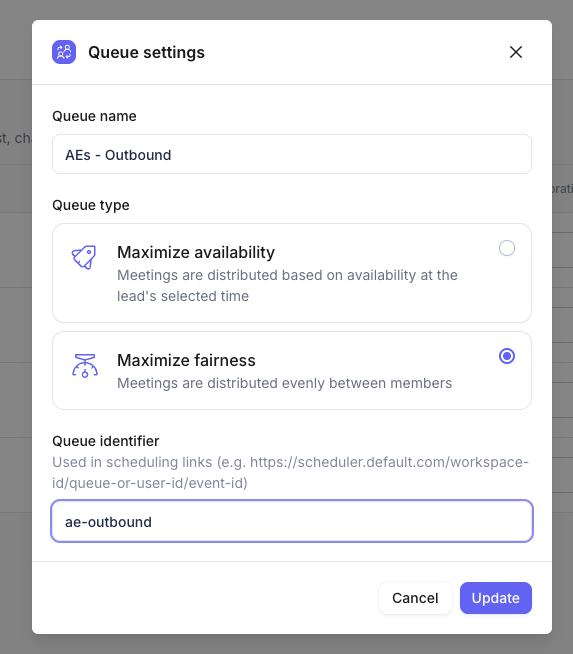
Custom booking link urls
Introduction
To ensure that custom links are displayed correctly for every event, please verify that the following requirements are met across your workspace.
Custom links will only appear if all necessary identifiers and URLs are properly configured.
Requirements for Custom Links
1. Custom Link URL
The event the booking link was copied for must have a Custom Link URL set in the event settings.
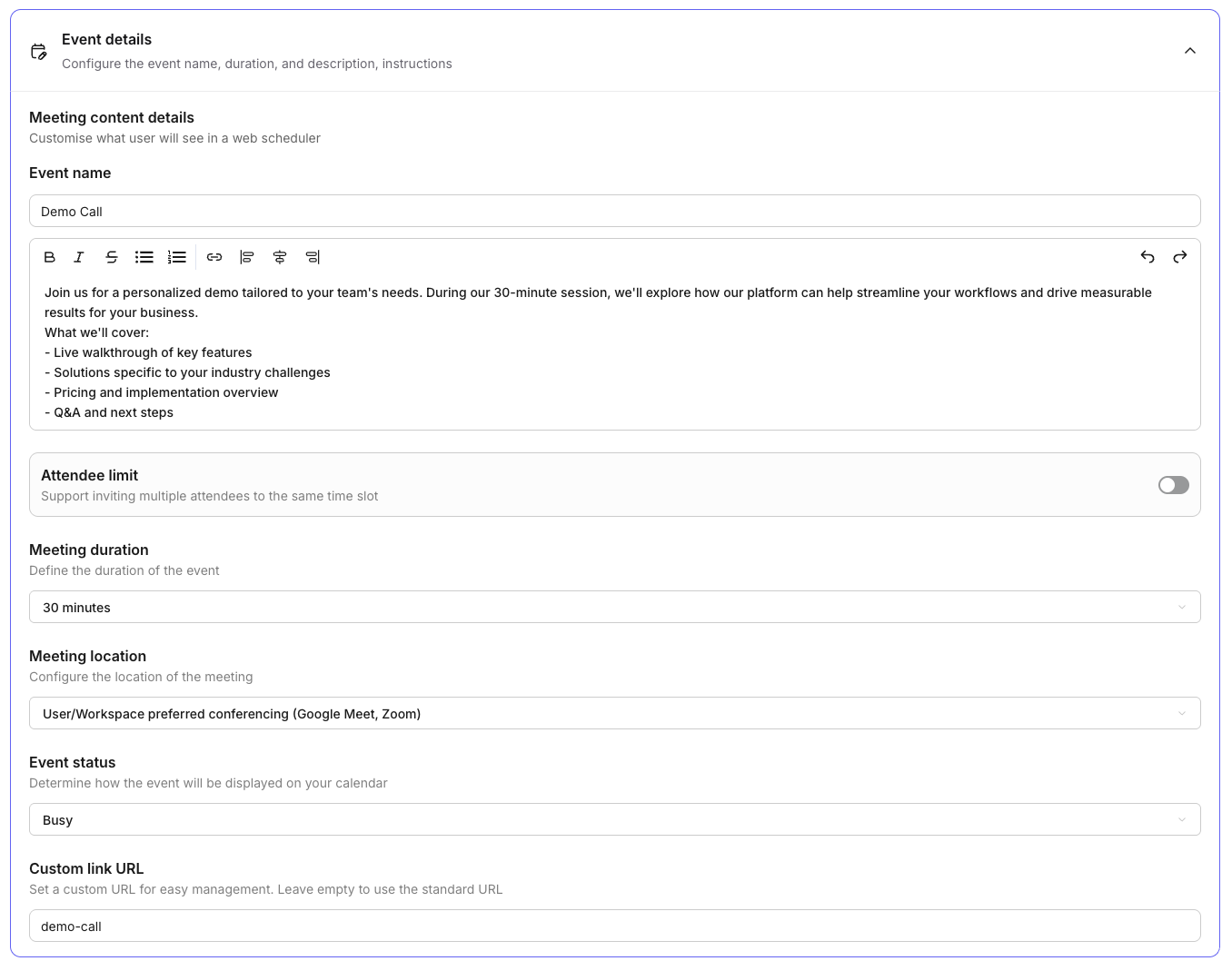
2. Username
If a scheduler is configured to show availability for one specific user, that user must have a username assigned.
Example: https://scheduler.default.com/default/default-onboarding
3. Queue Identifiers
If a scheduler is displaying for a queue, that queue must have a queue identifier set in the queue settings.
Example: https://scheduler.default.com/ae-queue/demo